Talking to My Linux Box Without Talking to the Cloud: Vocalinux on Debian, Without the Tears
Table of Contents
Vocalinux on Debian: a real game-changer that instantly transformed how I code, talk, and work — fully private, no cloud, no compromise.
Talking to ChatGPT, Claude, or Gemini on your phone is basically a solved problem. You tap the little microphone, mumble at your screen on the bus like a corporate ghost, and the model happily transcribes you with suspicious accuracy. Your phone OS ships a deeply-integrated speech stack, the app borrows it, and everyone moves on with their day. Quality is fine for plain English. Language coverage on those built-in stacks is… let’s say “generous if you happen to live in California”.
Then you sit down at your actual work machine — the one with 32 cores, a real keyboard, and a GPU that could roast a small turkey — and suddenly there is no microphone button anywhere. You’re back to typing. In 2026. Like a peasant.
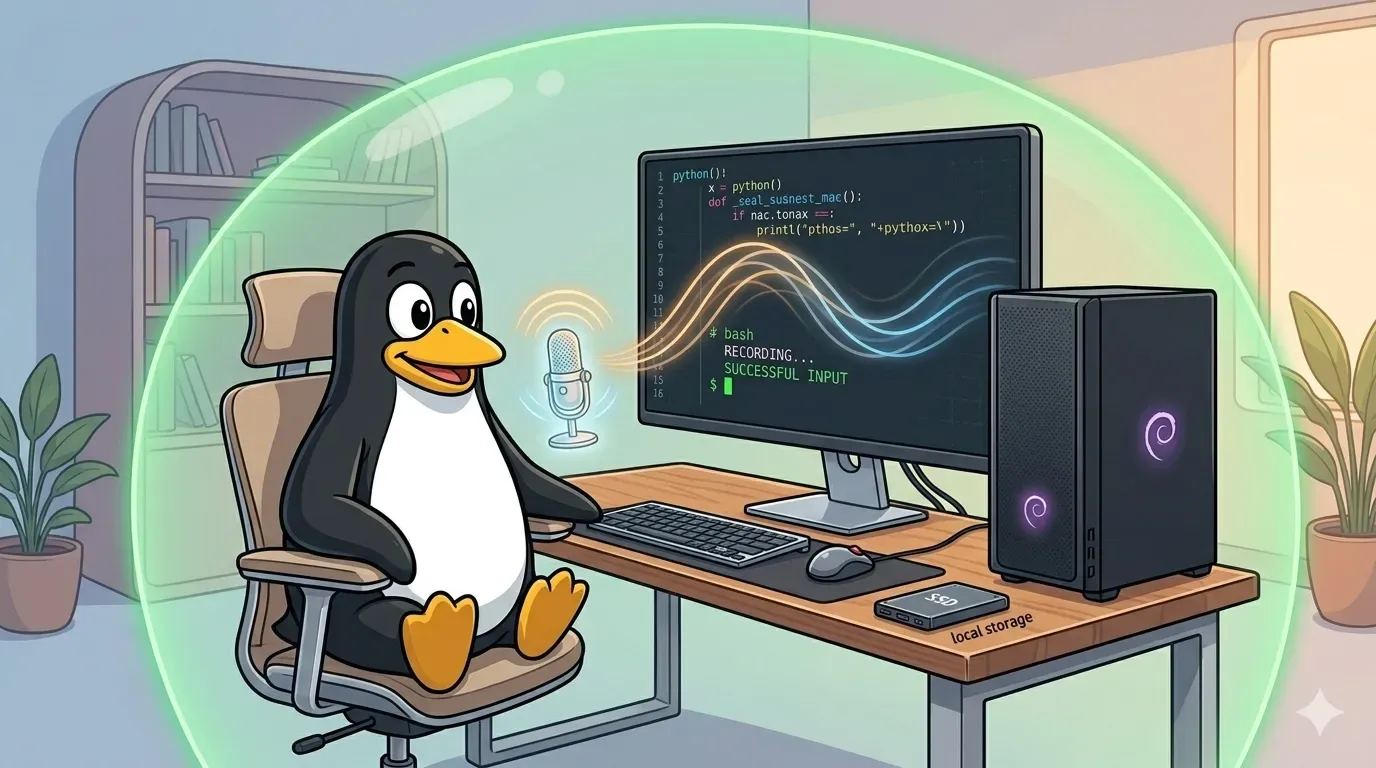 Voice in, code out — no cloud in between. AI dictation, the Linux way — image generated via Nano Banana
So you go shopping for a proper dictation tool, and the internet immediately points you at two names: Wispr Flow and Willow Voice.
Wispr Flow in particular is hard to miss if you follow any productivity content online — it’s the tool I kept seeing pop up in videos from Dan Martell, the Canadian serial entrepreneur and angel investor behind Martell Ventures (his AI-first venture incubator for software founders), SaaS Academy, and the bestselling book Buy Back Your Time. His YouTube channel is sitting at over 2.6 million subscribers and is basically the largest founder-coaching channel on the platform, and Wispr Flow features regularly in his “tools I actually use” segments.
Both Wispr and Willow are genuinely good products. And both — here’s the part that doesn’t fit on the landing page — are cloud-based, closed-source, and not available on Linux at all.
Wait, but they say “privacy” everywhere on the website…
They do. Marketing copy and architecture are two very different things, and we did this same dance in Part 17 with “trust us, we don’t log your DNS queries”.
Willow Voice’s own privacy policy is refreshingly blunt:
“Willow uses cloud servers instead of on-device processing to give you the fastest and most accurate voice dictation experience possible.” — willowvoice.com/privacy-policy
They offer a “Private Mode”, but read it carefully — it’s a data retention toggle, not an architectural one. Your audio still leaves your machine. They just promise not to keep it.
Wispr Flow is the same story. Independent reviewers who combed through their subprocessor list confirm that your audio travels to Baseten/AWS for transcription, then your text gets forwarded to third-party LLMs (OpenAI, Anthropic, Cerebras) for “polishing”. Wispr’s “Privacy Mode” also exists — and Wispr’s own docs are explicit that it changes what is retained after processing, not where processing happens.
So even with both apps’ privacy toggles maxed out, every time you whisper “delete that paragraph” into your microphone, the audio physically travels across the public internet to someone else’s GPU. This is exactly the architectural pattern I argued against in the agentic AI foundation post: trusting a vendor’s policy is not the same as enforcing privacy at the OS level.
And that’s before you remember the Linux problem. Both apps ship binaries for macOS, Windows, and iOS only. If you’re on the OS specifically designed for people who don’t want corporations sitting in the middle of their workflow, you get nothing. Crickets. Penguin tears.
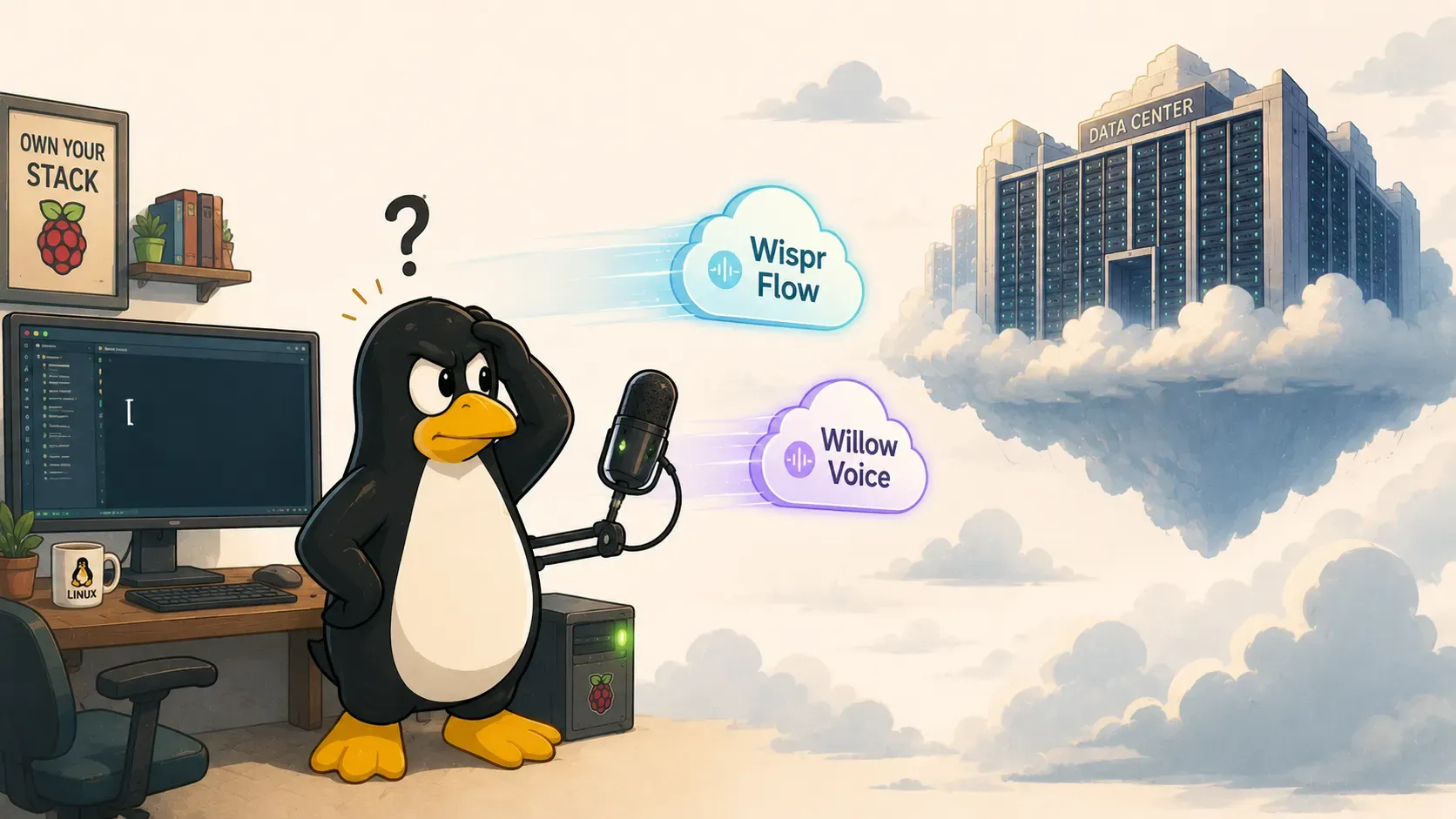 Would you want your voice-to-text options float off to someone else’s server — image generated via ChatGPT
Enter Vocalinux
Vocalinux is a free, GPL-3.0-licensed, 100% offline voice dictation system built specifically for Linux. No account. No internet. No telemetry. No “we pinky-promise we won’t retain your audio” — the audio literally cannot leave your machine because nothing in the pipeline is configured to send it anywhere.
Under the hood you get a choice of three engines: whisper.cpp (the fast C/C++ port of Whisper, Vulkan/CUDA-aware), OpenAI Whisper (the reference PyTorch implementation), or VOSK (lightweight Kaldi-based, for low-resource boxes). It runs on both X11 and Wayland, sits in your system tray, and types into whatever app currently has focus. The author, Jatin Kumar Malik, wrote a thoughtful intro article with the philosophy that matches what I’ve been arguing across this blog: if your tool needs to phone home to do its job, it’s not really your tool.
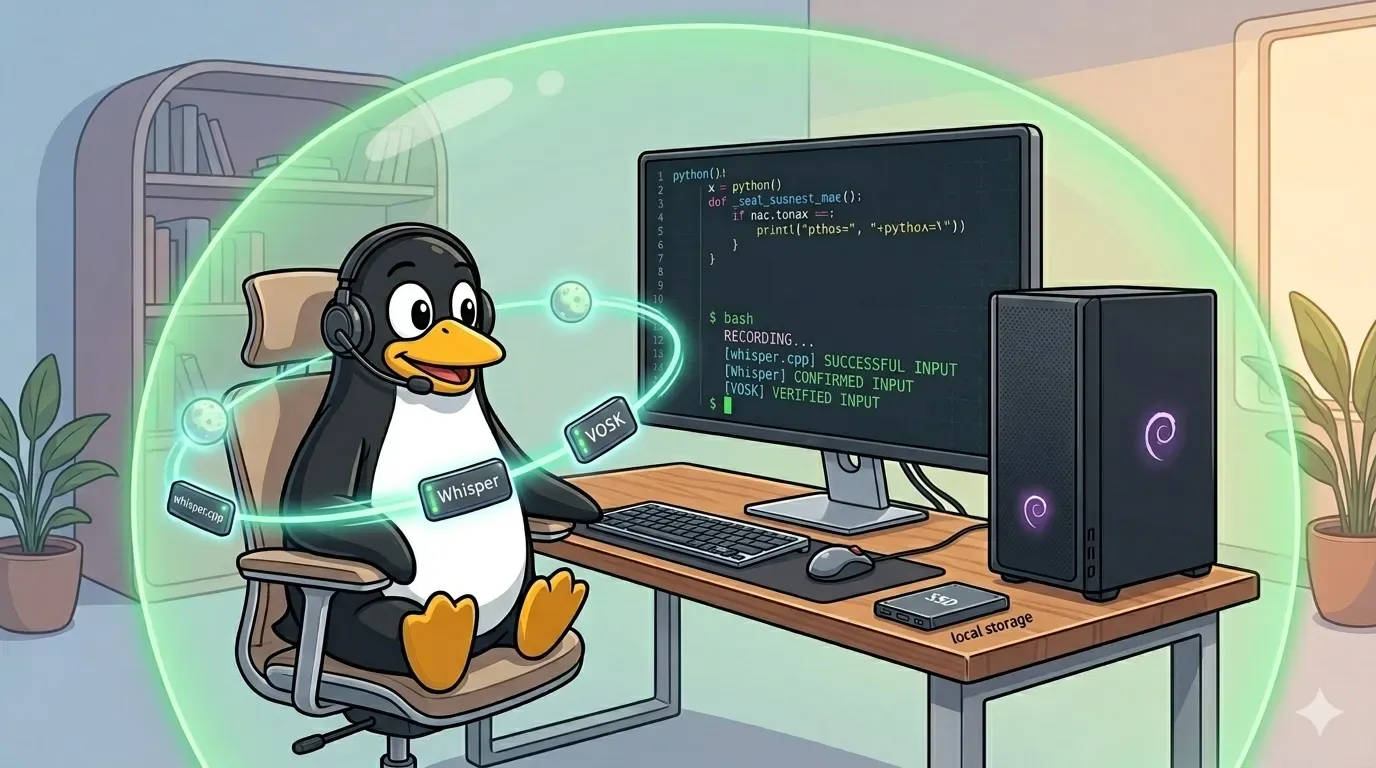 Vocalinux on Linux — three engines, zero cloud, all local — image generated via Nano Banana
“But what about Whisper itself, or Whispering?”
Two names come up constantly when Linux folks go hunting for voice-to-text, and it’s worth being honest about why neither is a Vocalinux replacement.
- openai/whisper is the MIT-licensed ASR model that underpins basically everything else in this space — including Vocalinux’s default
whisper.cppengine. But the repo itself ships a Python library and a CLI for transcribing audio files:whisper meeting.mp3 --model turbo. No system tray, no global hotkey, no type-at-cursor. Great for batch-transcribing podcasts and meetings. Wrong shape entirely for live dictation. Using Vocalinux means you’re already using Whisper — just with the desktop chassis bolted on. - Whispering (now part of the Epicenter ecosystem after the original repo was archived in Feb 2026) is the most polished cross-platform competitor — a Tauri app for Linux/macOS/Windows, MIT licensed, transparently documented. Press shortcut, speak, get text. Sounds perfect, with one architectural footnote: its transcription engine is pluggable, and the default backends are Groq, OpenAI Whisper API, and ElevenLabs — all cloud. Fully local operation is supported, but only if you also self-host Speaches on the side. Whispering is genuinely honest about this and BYO-API-key is way better than Wispr’s subscription model — but “cloud transcription with your own key” is still cloud transcription. The wire topology doesn’t care whose name is on the bill.
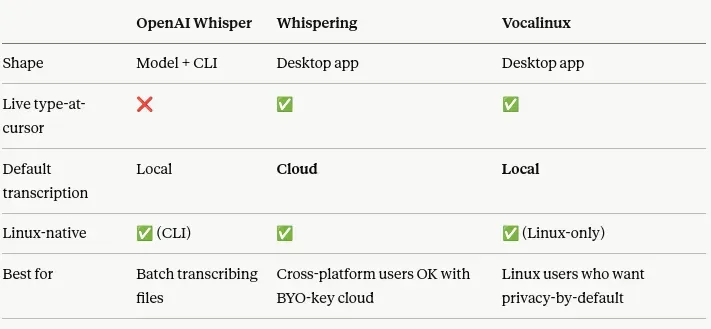 A quick comparison by AI
If you’re on macOS or Windows and want the best open-source dictation experience available today, Whispering is genuinely great. If you need batch transcription of recorded audio, openai/whisper is unbeatable. But if you’re a Linux user who wants to dictate at your cursor without trusting anyone’s network — Vocalinux is the answer.
Install
Luckily, a simple one-liner can initiated the whole process in an interactive way.
$ curl -fsSL https://raw.githubusercontent.com/jatinkrmalik/vocalinux/main/install.sh \
    -o /tmp/vl.sh && bash /tmp/vl.sh --interactive
After all the choices you made, Vocalinux got installed and you are ready to go, unless…
The “it installed fine” lie
The catch — there’s always a catch — is that Vocalinux is primarily built and tested against Ubuntu. The installer is honest enough to tell you this up front, the moment it detects you’re on Debian (which I am always on):
[INFO]    Detected: Debian GNU/Linux 13 (debian family)
[WARNING] This installer is primarily designed for Ubuntu-based systems.
          Your system: Debian GNU/Linux
[WARNING] The application may still work, but you might need to install
          dependencies manually.
Do you want to continue anyway? (y/n) y
You say yes, because of course you say yes. If you are a Debian user, nothing scares you, even if you have to do some tweaks. The installer then runs to completion without a single error. Green checkmarks. Success message. Beautiful. Time to dictate.
You launch Vocalinux. And immediately:
2026-05-22 11:41:35,018 - vocalinux.main - ERROR - Failed to initialize Vocalinux:
libwhisper.so.1: cannot open shared object file: No such file or directory
Welcome to “installed but does not run”, the Linux experience that has launched a thousand Stack Overflow threads. The installer reported success because every step in its script succeeded — pip install returned 0, the venv got created, the desktop file got dropped in place. What the installer didn’t verify is whether the actual native shared libraries that whisper.cpp depends on were resolvable at runtime on this distro. On Ubuntu they would have been pulled in transitively by apt. On Debian, several of them simply aren’t packaged the same way — or aren’t packaged at all — and the installer doesn’t notice because it never tries to run the thing.
Vocalinux also assumes NVIDIA drivers and CUDA are already cleanly installed (my earlier post comes in handy here if you haven’t gotten that far) — and even with all that in place, you’ll still hit the following on Debian.
Hurdle 1 — libwhisper.so.1 and ydotool aren’t in Debian’s repos
The error above is the symptom; the root cause is that Debian’s standard repos don’t ship libwhisper-dev (the whisper.cpp C++ runtime library), nor do they ship ydotool — the Wayland-friendly virtual keyboard simulator that actually types the recognized text into your active window. Vocalinux needs both, and the installer assumed apt would have them. It does not.
The fix: bring them in by compiling from source, scoped into the Vocalinux Python 3.13 virtual environment that the installer already created at ~/.local/share/vocalinux/venv/. We’re not waiting for Debian’s policy committee to bless these packages — we’ll provision them ourselves, contained in the same venv that already isolates the rest of the pipeline. Don’t run these commands yet…you have to follow along to install the dependencies first to avoid stuck in the middle of long-lasting processes.
Hurdle 2 — CMake tries to build itself and immediately faceplants
The moment you tell pip to build the pywhispercpp Python bindings from source so the venv can actually resolve libwhisper.so.1, the build system decides — wisely or otherwise — to also compile its own copy of CMake from scratch. Which immediately crashes:
CMake Error: Could not find OpenSSL.
Install an OpenSSL development package or configure CMake
with -DCMAKE_USE_OPENSSL=OFF to build without OpenSSL.
Debian doesn’t ship OpenSSL development headers by default on a clean dev install — so CMake’s own bootstrap chokes before it even gets to compile whisper.cpp.
The fix: install the system-level build dependencies that should have been documented as prerequisites. One apt line:
$ sudo apt update && sudo apt install -y \
    libssl-dev \
    autoconf \
    automake \
    libtool \
    patchelf
libssl-dev clears the OpenSSL crash. autoconf, automake, and libtool are needed to bootstrap several transitively-pulled native dependencies. patchelf shows up in the next hurdle — keep it in your back pocket.
Hurdle 3 — The NumPy trap (a.k.a. “why is my laptop on fire”)
Here’s where it got really fun. Blindly forcing global source compilation with --no-binary :all: doesn’t just rebuild whisper.cpp — it tells pip to rebuild every single Python dependency in the tree from source. Including monsters like NumPy and meson-python. NumPy alone takes the better part of a coffee break, and it pulled in patchelf as a build dependency, which itself failed to build, which cascaded into a chain of Failed building wheel for... errors that scrolled by like end credits.
This is the kind of kns situation Git-Kepo would have flagged as “boss, your build is cheem — too many things compiling at once”.
The actual fix — the buried gem from the whole exercise — is to scope the source compilation only to the package that actually needs it. Everything else should pull pre-built wheels, the way pip was designed to work:
$ source ~/.local/share/vocalinux/venv/bin/activate
$ export PYWHISPERCPP_CLEAN=1
$ pip install --force-reinstall --no-binary=pywhispercpp pywhispercpp
$ deactivate
The key bit is --no-binary=pywhispercpp (one specific package) instead of --no-binary :all: (every package in the tree). NumPy stays as a pre-built wheel. Meson stays as a pre-built wheel. Only pywhispercpp gets compiled, and it gets compiled against the local system OpenSSL we just installed in Hurdle 2.
Compilation finishes in seconds. No fans spinning up. No cascading wheel failures. The venv ends up with a properly linked native whisper.cpp binary, ready to be GPU-accelerated by the NVIDIA RTX A1000 that’s been sitting in the box waiting to be useful. And — crucially — libwhisper.so.1 is now resolvable, so Vocalinux actually starts.
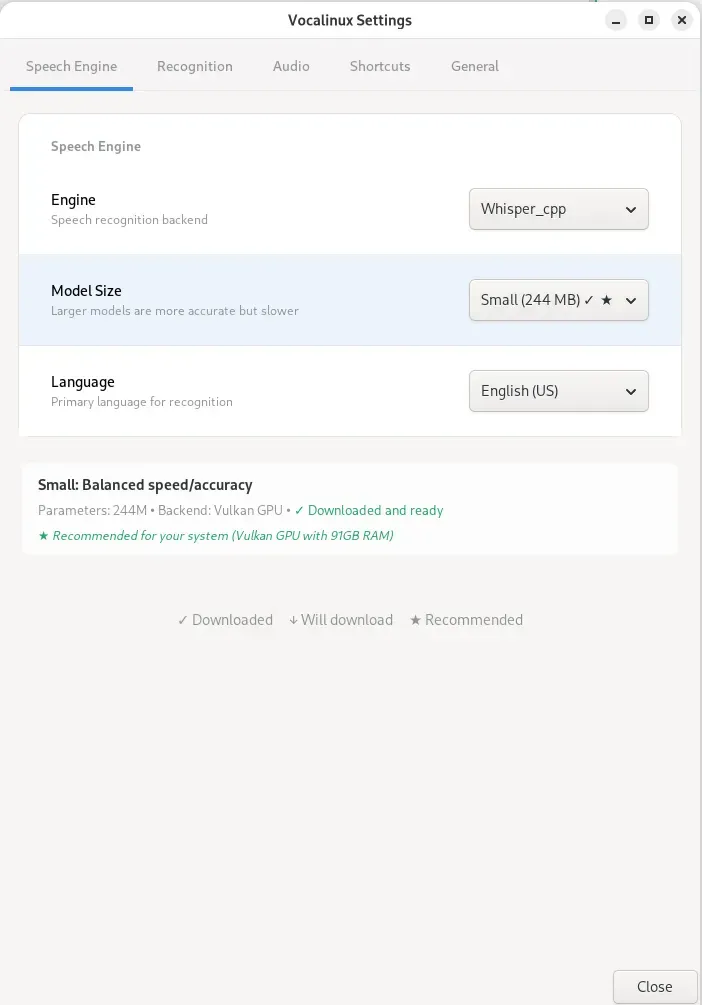 Vocalinux-gui, after installing all dependencies correctly
Optimal configuration once it’s up and running
Installation done — time to make it actually pleasant to use. The defaults are tuned for a generic Ubuntu laptop with a built-in mic. For a developer workstation with a discrete GPU and an external mic, here’s the blueprint that gets you to “feels like Wispr but local”.
Speech engine
- Engine:
whisper_cpp. An order of magnitude more efficient than the PyTorch reference implementation. - Model size: upgrade from
tiny(39 MB) tosmall. On a discrete NVIDIA GPU,smallleverages Vulkan/CUDA acceleration without adding any perceptible latency, and the accuracy bump for technical vocabulary — variable names, library names, shell commands — is huge.tinywill happily transcribe “kubernetes” as “communities” until you give up on life. - Language: lock to
English (US)(or whatever you actually speak) instead ofauto. Auto-detect adds a ~1 second language-identification delay at the start of every recording. You know what language you’re speaking. Tell the tool.
Audio and recognition tuning
- VAD (Voice Activity Detection) sensitivity:
3for a quiet office,4–5for noisier environments. - Silence timeout: drop from the default
2.0seconds to1.0–1.2seconds. Single biggest snappiness improvement — your transcribed sentence appears in VS Code the moment you stop talking, not two seconds later. - Microphone gain: if you’re on a Logitech C920 or similar consumer webcam, the input gain clips at 100%. Pull the system input level down to 75–80%. Clipped audio destroys Whisper’s accuracy before the model even sees it — the single most overlooked tuning step.
Workflow integration
- Shortcut binding: set the mode to Toggle (double-tap to start/stop) bound to the Ctrl key (either side). Doesn’t collide with anything else in any major IDE.
- Auto-start: turn on both Start on login and Start minimized. Silently provisions Vocalinux as an invisible background utility from boot — exactly the seamless experience the cloud competitors charge $15/month for, except this one doesn’t ship your voice to a data centre.
So, now I literally use my webcam (with its privacy cover) as a mic, and it works pretty well after pulling it close to my keyboard — I anyway don’t use the webcam much.
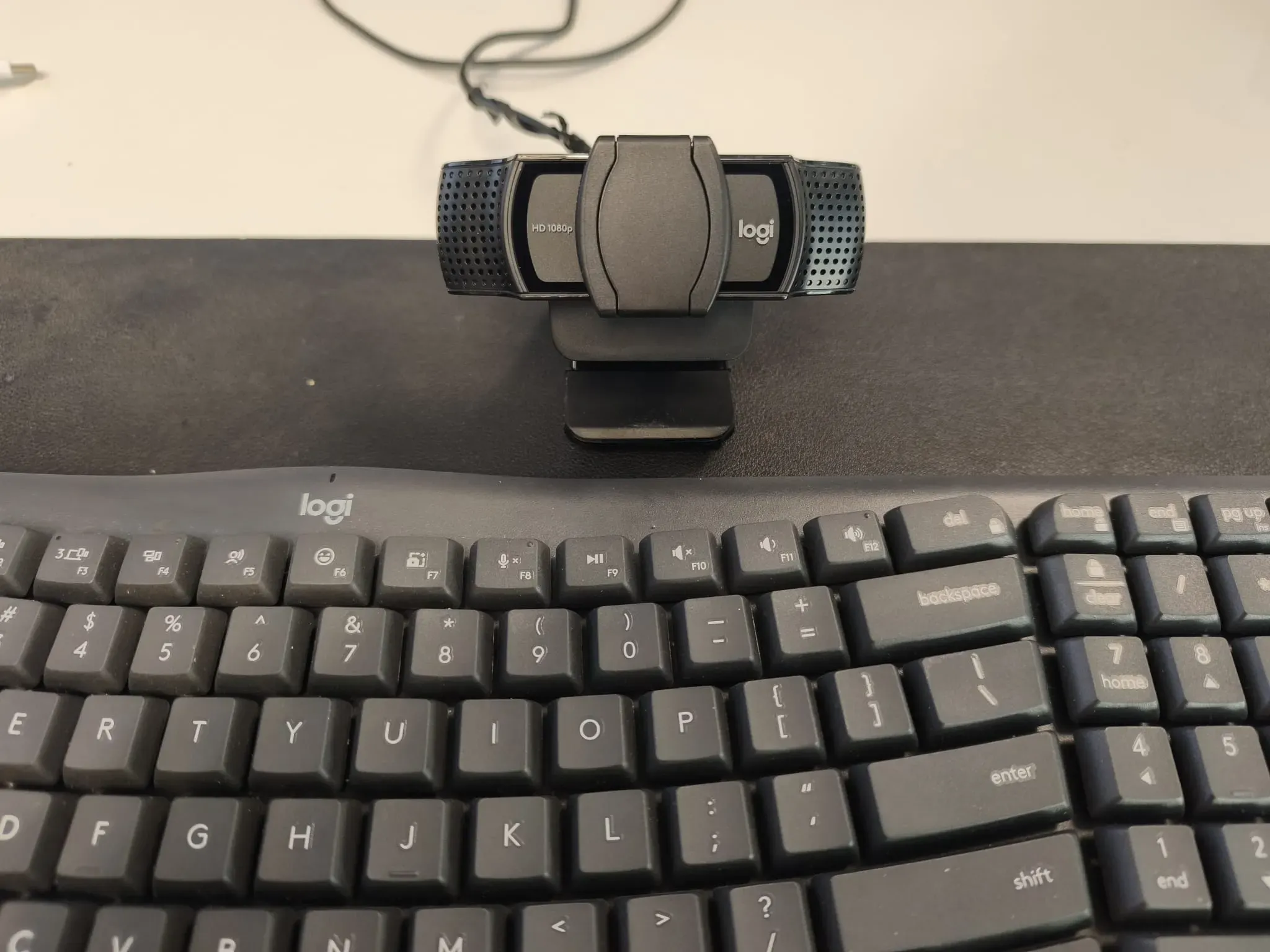 Utilize what we have — and this webcam’s mic is surprisingly really good for whispering
The honest summary
Voice dictation on Linux has historically been the punchline to a joke. Either you dictated into your phone and copy-pasted, or you went with a cloud SaaS tool that didn’t even ship a Linux binary and quietly transcribed your audio on someone else’s hardware regardless. Both options surrender exactly the kind of control that made you choose Linux in the first place.
Vocalinux fixes this. GPLv3, fully offline, GPU-accelerated, X11 and Wayland, and once you get past the “installer says success, application says no” Debian gap with two apt install lines and one carefully-scoped pip install, it just works. The audio never leaves your machine. The model runs on your GPU. The text appears at your cursor. End of pipeline.
The same principle keeps showing up across this blog: if you can run it locally, run it locally. Your DNS, your notes, your chat, your LLM inference, your agent, and now your voice. The cloud is a wonderful place to back things up to. It’s a terrible place to route every keystroke through.
Go grab Vocalinux, star the repo, and stop typing.