Offline Privacy: The Data You Never Posted, Scammers Still Use
Table of Contents
Prefer to listen? This post is also out as a podcast episode — hit play and take it with you on the commute (ironic, I know). (Generated with Google’s NotebookLM.)
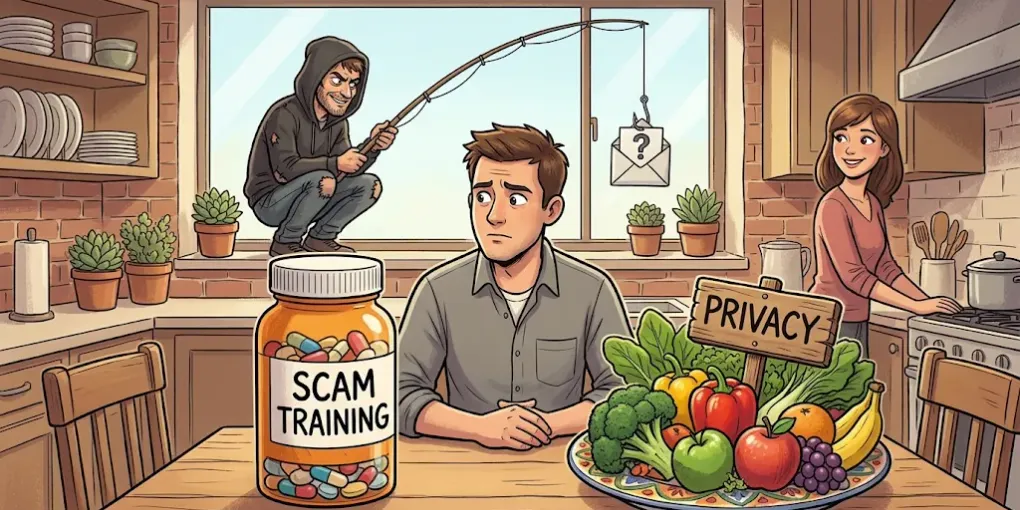
Scam awareness is the painkiller. Offline privacy is the diet: the data you never posted, and the one leak you can still plug.
I recently attended APWG eCrime 2026, and after a few talks on scams, I walked out with zero notes, a brain buffering under a pile of stats, and a bad feeling.
The stories were grim. Scam compounds sprouting in border regions where corrupt officials, border guards and armed groups look the other way, or take their cut. AI letting criminals do exponentially more with less. And the headline takeaway, in several flavors: we need more education about scams. Anyone can fall for one — even us, a room full of cybersecurity professionals.
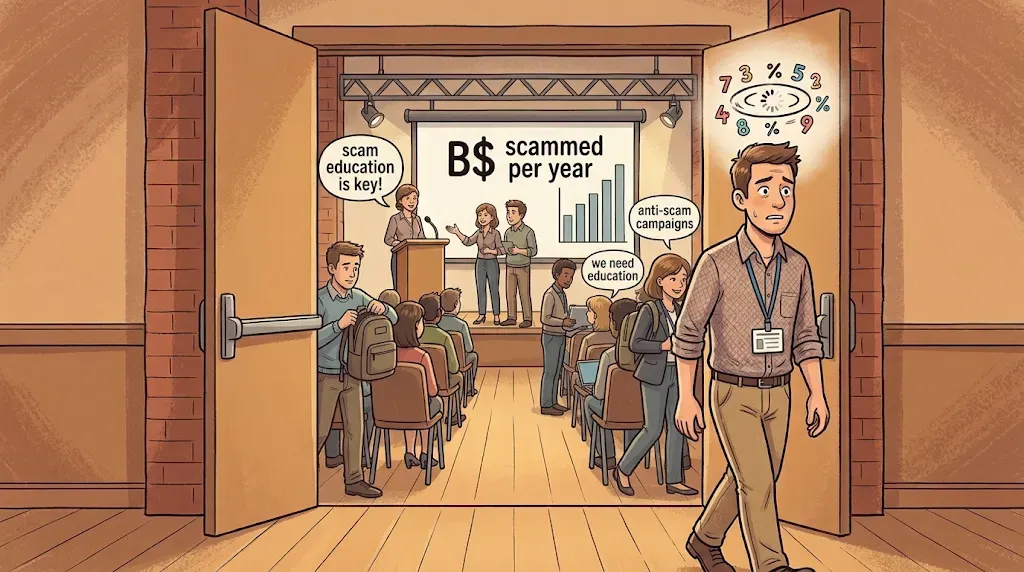 Leaving the session with a head full of stats and a bad feeling — image generated via Nano Banana
True. And yet I could not shake the feeling that we were handing out painkillers.
You have pain, here is a pill. High blood pressure? Here is another pill. Nobody asks about the diet, the sleep, the sofa. Scam education is the pill: it helps at the moment of the click, and it does nothing about why the message in your inbox looks like it was written by someone who knows you. (Keep taking the pills, by the way. I am not telling you to skip them. I am telling you they are not the whole treatment.)
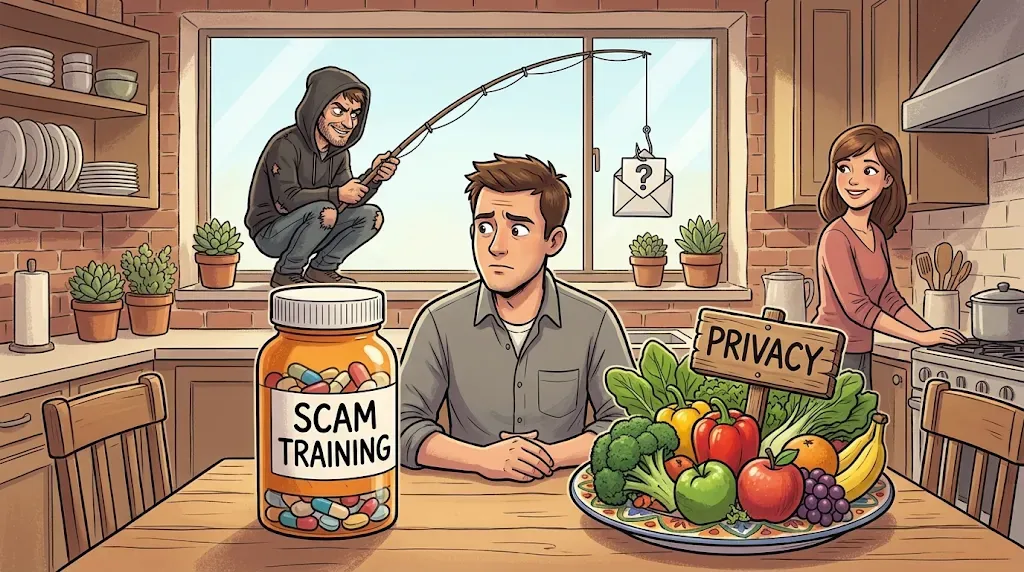 Treat the symptom, or fix the diet? — image generated via Nano Banana
Rewind. I am 40 (at the time of writing). In high school, I met exactly one scam: the one everybody knows. A late Nigerian prince, a locked fortune, and me, the lucky heir — just wire a small fee to unlock it. It was ridiculous by design: the absurdity filters out everyone but the most gullible. Scams existed. They were just dumb, because the scammer knew nothing about me. All he had was an email address scraped off some forum.
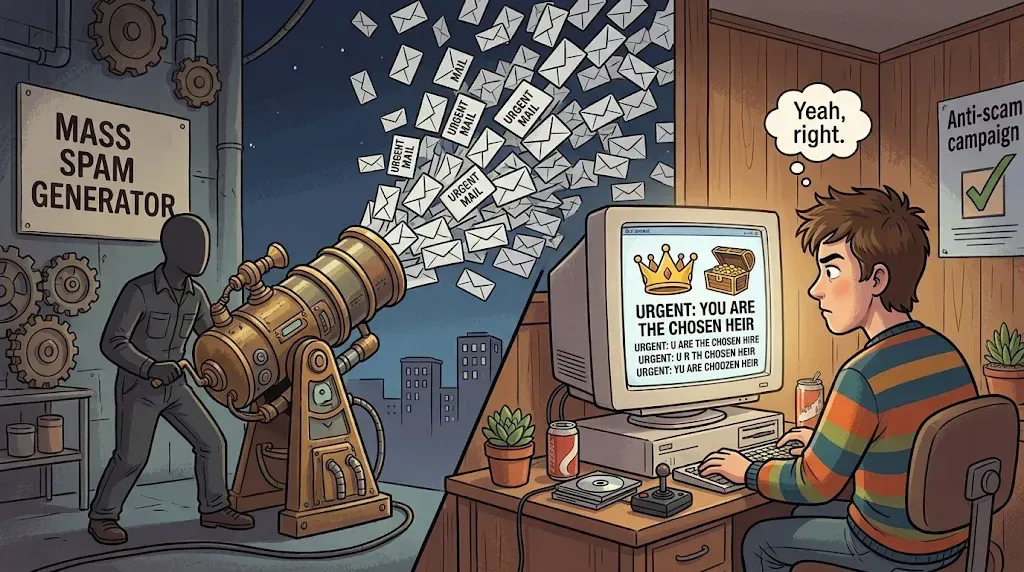 The prince needed no data, only a gullible stranger — image generated via Nano Banana
Then came the mid-2000s and social media. I liked the original idea: keep real-life friends close from the other hemisphere. That is also roughly where the advantages ended. We got hooked on fake engagement and kept feeding the machine: where we eat, where we travel, when we got married, when we joined which company. A stalker’s dream with a side of little hearts. And since nobody enjoys scrolling back to 2011 to delete posts (and platforms do not exactly ship an expiry date), what we handed over is not a snapshot. It is a timeline. (Plus a digital landfill that burns energy forever, but that is a rant for another post.)
Now sit in the attacker’s chair. The Nigerian prince needed a gullible stranger. Today’s scammer needs a message so aligned with your life — your employer, your trip, your last booking — that your doubt never wakes up. You click. Trouble.
Here is the uncomfortable part: most of that online past is already out there, scraped, brokered, breached. There are countless guides on locking down your online privacy, so I will not write another one. But there is a leak that is still wide open, and almost nobody talks about it: offline privacy. The company lanyard you wear to the food court. The stranger on the metro reading your chat over your shoulder. The loyalty card that earns you pennies while the program learns what you buy, when, and for how much. None of it was ever “posted,” and all of it can be weaponized online. That is what I mean by offline privacy: personal information you reveal in the physical world and through everyday transactions, without ever posting it, that can later be turned into a scam, a phish or even a break-in. (It is not the same as Maciej Cegłowski’s ambient privacy, which is about society as a whole. This is about your personal threat model.)
That is the diet. Let’s see what is actually on the plate.
Portion control: who needs this to do their job?
Before the gadgets and the hacks, one question does most of the work: does the party asking actually need this to deliver the service?
A hotel needs your real name, because you will hand over an ID at check-in. An airline needs it too. Your passport does the talking there, and if you lie, you will be in trouble at the counter. Fine. Give them the truth and move on.
Now look at a restaurant booking. The restaurant needs to know a time and a head count. That is its revenue: how many bums on how many chairs. Whether the booking says “your real name” or “Bob Sponge” changes nothing for them. Yet we have been trained, by a lifetime of forms, to see Name: and type our own.
Stop. Ask the question field by field. Name? Phone? Email? If the honest answer is “they don’t need it,” you have just found a leak you can plug for free.
The same question works far beyond web forms: the shop assistant asking for your phone number at the till, the visitor sign-in sheet at reception, the clipboard that wants “just your details.” Online or offline, the rule is the same. Give the job what the job needs, and nothing out of habit.
Booking a table as Bob Sponge
Take a restaurant reservation, either on the restaurant’s own website or via a third-party platform like Chope (no affiliation, just an example).
In the first case, the restaurant runs its own little data lake: a booking plugin, a spreadsheet, maybe a tablet behind the counter. Do you honestly believe the n+1 restaurant down the road runs enterprise-grade security? They are not tech companies. That scares me more than the big names do.
The third-party platform is probably better secured, with a real security team and obligations under data protection rules. But that makes it a juicier target, because one breach covers thousands of restaurants. This is not hypothetical: reservation service Eatigo lost 2.8 million accounts, including names and phone numbers, and restaurant platform SevenRooms confirmed a third-party vendor breach that could include guest names, emails and phone numbers. Honestly? I do not trust either.
So here is what I do: I put in random details. Not another real person’s identity, because that is a different (and worse) problem. Just a clearly fictional one: Bob Sponge. If that database leaks, Bob Sponge has nothing to do with me in real life, and anyone reading it who does not already know me will never connect the dots. Bonus: you collect a lot of smiles when the host calls out your name at check-in. ;)
The same trick works at the coffee counter. “Name for the order?” Bob Sponge. The barista shouts it across the café, and the only person who knows it is you is you.
The phone number problem
Restaurants love a phone number for confirmations. Mine is a tourist SIM that is no longer active, but I registered it on WhatsApp back when it was. So if the restaurant really wants to reach me, they can message me on WhatsApp for free, and everybody is happy.
It works, and I will be honest about where it can bite you, because a dead number is a ticking clock:
- Carriers recycle numbers. In the US the FCC requires a wait of at least 45 days before reassigning one, and other countries differ. A reported case of the same thing: a user got a new SIM and accidentally took over a stranger’s WhatsApp account.
- You cannot re-verify. If you lose that phone or get logged out, the SMS code goes to a dead SIM. The account is gone.
- WhatsApp expires idle accounts. WhatsApp deletes accounts after 120 days of inactivity (45 days if it detects the number moved to a new device), so the account has to stay online.
- Your WhatsApp profile talks. A restaurant that messages you can see your display name and, depending on your settings, your photo. Make that account Bob Sponge too, and set the profile photo to Nobody.
One more rule: never tie anything that matters (banking, 2FA, account recovery) to that number.
Email: sign up for everything, give away nothing
Signing up for a newsletter, especially unconsciously, is damn easy. Unsubscribing is a mess more often than not. And those newsletters are stuffed with tracking links and pixels that tell the sender if, when and where you opened them.
For anything that does not matter to me, I use unique throwaway addresses from DuckDuckGo’s email forwarding service (Email Protection). It generates a random @duck.com address that forwards to your real inbox, one per website if you like. Two things make it nice:
- It strips trackers. Incoming mail is cleaned of known trackers before it reaches you (“if possible,” as the description goes), so the sender’s open-tracking pixel never tells them anything useful about you.
- It is disposable. When a site starts spamming, you deactivate that one address and generate a new one. The old one is dead. No hunting for “unsubscribe,” no 10-minute-mail sites that half the internet blocks anyway.
Now the honest part, because this is a privacy post and not a commercial. DuckDuckGo has to read the message in transit to clean it. Reportedly it does not save it, but you are trusting them instead of the sender. That is a fair trade for a loyalty-card newsletter and a terrible trade for anything sensitive. So: newsletters, shop accounts, promo sign-ups, loyalty programs — yes. Anything with a booking reference, a password reset for something important, or private content — no.
The same philosophy runs through my agentic AI foundation post: wherever you can swap “trust us” for architecture, do it. An alias is a cheap, partial swap, not a miracle.
The eight offline leaks
OK, now the real topic. Everything below can still end up in a digital system, but it happens on your way through the day, for a few seconds, and nobody asked you for a form.
Offline privacy #1: your lanyard is a free billboard
Let’s start with my biggest pet peeve: company passes, lanyards and branded T-shirts. Sorry, companies, but your people are walking billboards, and nobody asked them. Flaunting a fancy tech-giant lanyard is not fame. It is information you share unsolicited, with everyone in the lift, on the metro and in the food court.
And in Singapore, it gets better. Here, the lanyard doubles as a table reservation. Every lunchtime, food courts and hawker centres fill up with seemingly abandoned tables, each one claimed through the local custom of chope, which means to reserve a spot by leaving something on it. The classic is a packet of tissues. Then come umbrellas, name cards and, yes, the staff lanyard or office pass. Picture a set of company badges lying on a table, names, photos and employers facing up, while their owners queue for chicken rice. Nobody is guarding them. Chope culture runs on trust, which is lovely for tables and terrible for badges. For a passer-by with a phone, that is a free information buffet.
 Chope with tissues, not with your badge — image generated via Nano Banana
A badge with your name, photo and role hands a stranger a ready-made itinerary: who you are, where you work, what you do. Name, company and department are enough to launch a social-engineering campaign that starts with a carefully crafted phishing email. Add a conference programme page, and the attacker can write as HR, or as the co-author whose name sits two lines below yours, complete with the right company header. Red teamers know this trick well: badges, floor names and entrances in photos feed their reconnaissance before they ever knock on a door.
Conference badges are the same problem with a bigger audience: name, employer and role in 24-point font, worn for days, photographed in every group selfie. Barcodes and QR codes on a badge can be duplicated from a photo, too.
I do not make an exception for the conference badge myself. Even there, I try to flip it backwards, or hide it below my jacket. Or I go to the first booth that gives away stickers, grab a few, and stick them on the badge to cover the name and affiliation, at least partly. Free swag, free privacy. (Leave enough uncovered, or the barcode scannable, so staff can still check you in.)
What to do instead:
- Take the lanyard off or flip it the moment you leave the building. In the pocket, not around the neck, on the way to the food court.
- Use a badge holder that hides the name side.
- No badge in selfies or social posts, ever.
- Treat any email that mentions your employer and your role as suspicious by default, however nicely it is dressed.
- Never chope with your badge. Use tissues, an umbrella, anything that does not carry your name, your face and your employer.
It costs nothing, takes two seconds, and denies a scammer the first page of the script.
Offline privacy #2: the metro is a reading room
Picture rush hour: herrings in a can, a whole carriage of humans (droids, including me) face-down in their phones. Catching up with friends, doom-scrolling, binging a series. And many are still working, thanks to a toxic work culture or plain kiasu, the Singlish word from Hokkien for “afraid to lose out.”
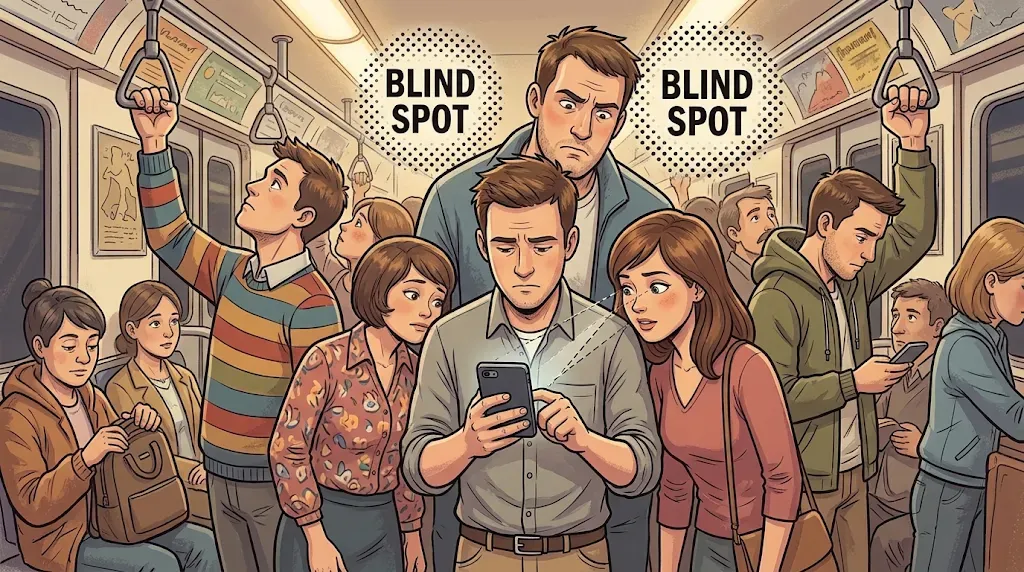 Rush hour is also reading hour — image generated via Nano Banana
Now think about what a stranger one head away can read: your Teams or Slack thread, the request from your boss, the tone you two use, the company name, your name, and the name of the person you are talking to. That is not trivia. That is a script.
A scammer who saw your chat can follow up tomorrow, in that very tone, referencing that very conversation. You will think it is completely legit, because you did just talk to that person. The follow-up lands on a brain that has already said yes.
What to do instead:
- Get a privacy screen protector. It narrows the viewing angle so people beside you see a dark panel. Yes, the tall person right behind you is still a blind spot, but cutting off most of the carriage is a big win. Check that it plays nicely with your fingerprint sensor before you commit.
- Hide notification previews on the lock screen. On iPhone: Settings → Notifications → Show Previews → When Unlocked. On Android, look for the lock-screen option to hide sensitive content. It is free and takes a minute.
- Dim the brightness, tilt the phone, and keep work chats for the desk when you can. A corner spot beats a standing spot in the middle.
Your voice leaks too. Phone and video calls on the train or in a café broadcast your name, your bank’s name and any digits you read out to everyone within earshot. Text instead, or step somewhere quiet before you say anything you would not shout across the carriage.
It is a bit sad to design your commute around not being read. But the reader was never the problem. The script is.
Offline privacy #3: the tag on your suitcase
Still on the move: you land in a new country, grab your bag from the carousel, and walk out. Look at the airline tag still stapled to the handle. It shows your name, your destination, and the flight code, which identifies the carrier, and sometimes your layovers.
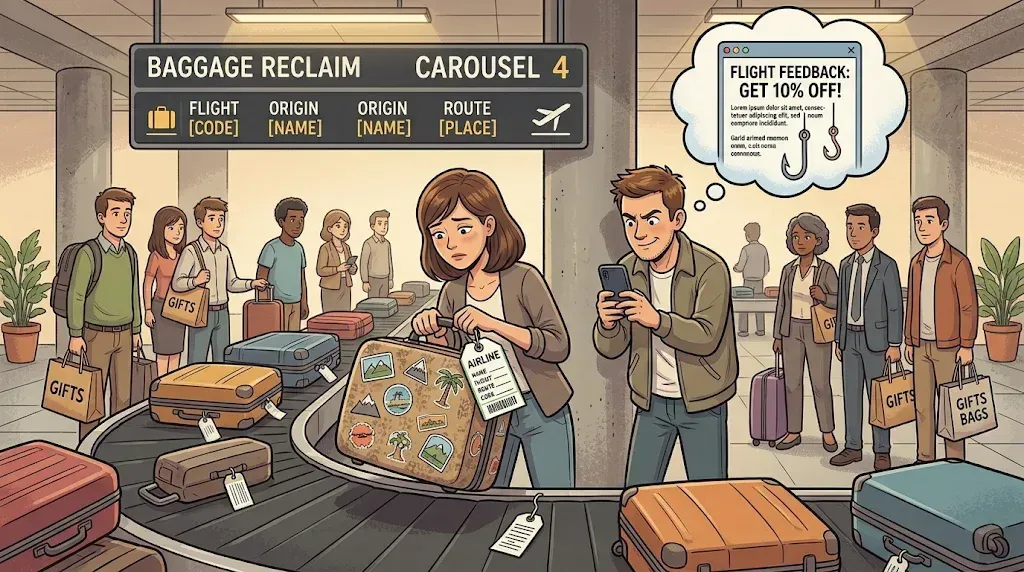 That luggage tag says more than you think — image generated via Nano Banana
That alone is enough for a convincing follow-up. Say a message arrives, mentioning your flight, with a simple feedback form that gets you 10% off your next ticket. Good deal? Yes. Easy to believe? Yes. Will you fill it in? Of course, because everybody wants 10% off. The form just wants your details, or your card.
It can be worse than “name and flight.” Security experts have long noted that the six-character booking reference (the PNR) is encoded on boarding passes and on baggage tags, and that this code plus your surname has been enough to open a booking on many airline sites. The researchers at SR Labs put it bluntly: it is printed on every piece of luggage and thrown away at the end of the journey. A stranger with that pair of strings could view your itinerary and personal details, and sometimes change or cancel the booking.
To be fair, practice varies by airline, and some have tightened their flows since those findings, so I would not claim every tag is a skeleton key today. But “probably less exploitable now” is a thin reason to leave a printed identity token on your luggage.
What to do instead:
- Remove old tags and boarding passes once you are clear of the airport (some airports check tags at the exit, so keep it on until you are through), then shred them or bin them in pieces.
- Never post a photo of a boarding pass or bag tag. Barcodes carry more than you see.
- Treat a “survey for a discount” email about a flight you just took as bait until you have opened the airline’s own app or site yourself.
Offline privacy #4: the tap that tells everyone where you went
In many developed countries, public transport no longer needs a special ticket. You just tap your bank card. Convenient, isn’t it? But a bank card? So boomer. Tap your phone instead, you were reading something on it anyway. Or the smartwatch: tapping with your wrist is the coolest way to travel, at least until the NFC chip is under our skin.
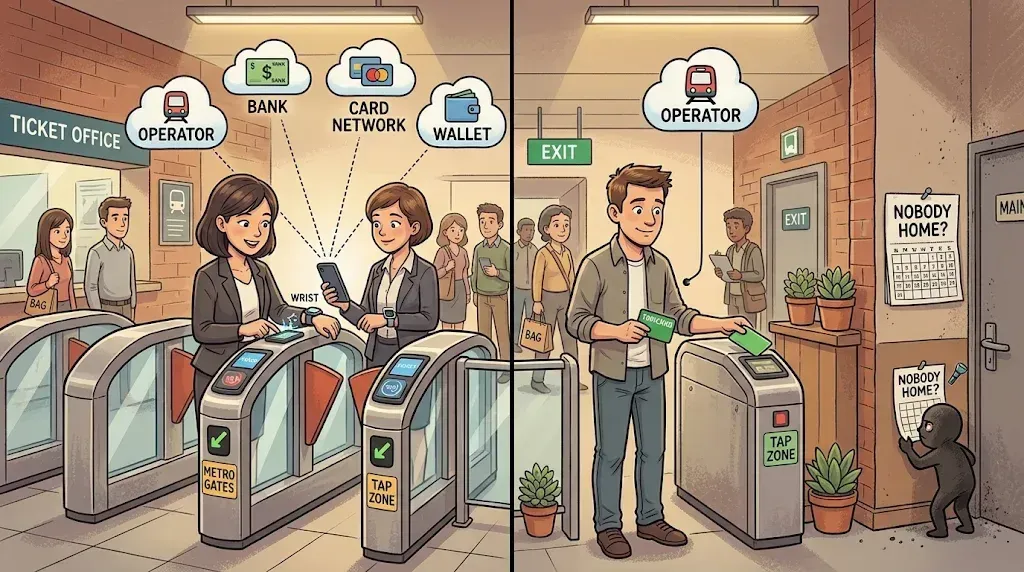 Every tap tells someone where you went — image generated via Nano Banana
Now count how many parties learn something about your commute.
The transit operator always knows where you tapped in, where you tapped out, and when. That is how the system works. You cannot avoid it. Trust them, or walk or cycle. Pay with a bank card and the operator still knows everything, but now your bank and the card network also learn that you ride, roughly when, and how often. They do not see exact tap times, because fare charges usually post later and are often aggregated. Add the card to a phone or watch wallet and a fourth party may join, depending on whose wallet it is.
Who sees what, by payment method:
- Physical bank card: the transit operator sees every tap, tied to your card. Your bank and the card network see the fare charges, usually delayed or aggregated. No wallet provider is involved.
- Phone or watch wallet: the operator sees every tap, tied to a device token rather than your real card number. Your bank and card network see the same fare charges. As for the wallet provider, Apple does not store your transaction history or real card number on its servers, per Engadget’s comparison, while Google does collect purchase details (you can manage them in settings).
- Stored-value transit card with auto top-up: the operator sees every tap, tied to the card ID (and to you if you link it to an account). Your bank and the card network see only the top-up amounts, not your trips. A wallet provider sees only the top-up, and only if you pay through a wallet.
I am not scared of any one big company leaking my commute. I am scared of the weakest link. To get your travel habits, an attacker only has to breach one of those parties, and there is always a weakest link. Fewer parties holding trip-level data means fewer ways in.
And this is not only about scams. Commute data is a schedule. Someone who gets hold of your travel habits learns when you leave, when you come back, and, most importantly, when your home is empty. For a malicious actor planning a robbery, that turns the job into a walk in the park. A boring transit log, in the wrong hands, doubles as a “nobody is home” calendar.
What to do instead:
- Buy a refillable transit card and set up auto top-up in the operator’s app with a bigger amount, say 20 to 50 dollars. A lump-sum top-up does not map onto any single trip in your bank statement. Where the operator sells top-ups for cash at stations or shops, that is the privacy-maximal route.
- Keep the card under your phone case for convenience, and stop the phone from fighting it. On Android, turn NFC off while commuting. iPhones have no NFC switch, as far as I know, so there, remove the transit card from Wallet or turn off Express Mode for it, otherwise the gate may read the phone instead.
- Know what you are not fixing. The operator still sees every trip, and linking the card to an account lets them tie those trips to you. The win is cutting the bank, network and wallet out of the trip-level picture, not becoming invisible.
Offline privacy #5: the loyalty card that loves you back (for a price)
Loyalty cards are bad for you, and they annoy everyone else. There is no worse feeling than queueing for groceries after a long day while the person in front digs a QR code out of an email to scan for “perks.”
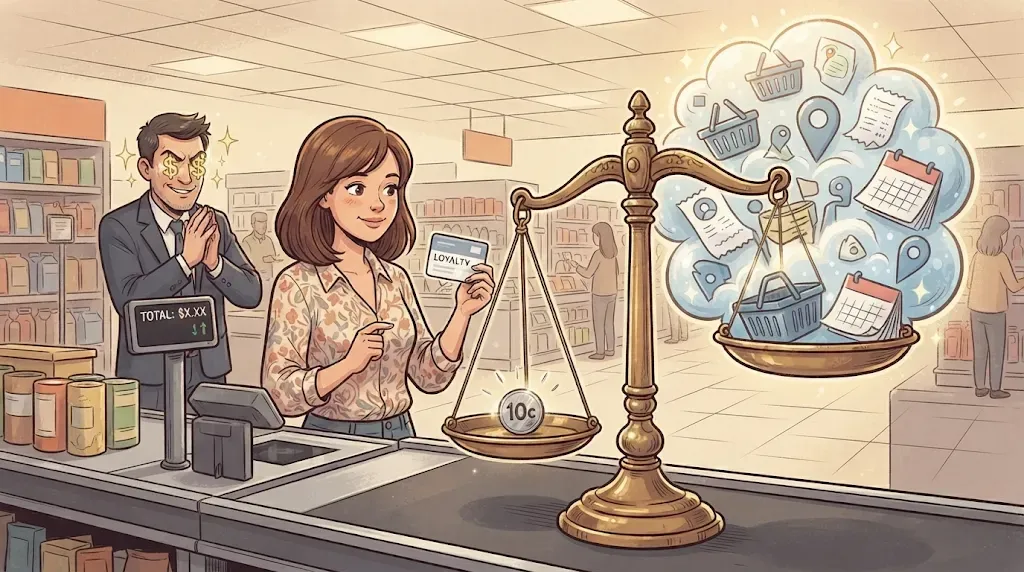 A few cents for your whole shopping history — image generated via Nano Banana
And what do you get at the end? Often a few cents. For that, with every single purchase you hand over what you bought, when, how much, how often, and from which outlet. Is that really the value of your data? As my Singlish AI grandpa would say: it’s kns man!
The data does not stay in the till. In May 2025, Consumer Reports found that US grocer Kroger ties roughly 95% of customer transactions to loyalty accounts, builds shopper profiles (sometimes wrong ones, including income estimates that differed markedly from reality), and markets that data to more than 50 US companies. Kroger disputes the characterization and says it does not personalize product prices, only offers. Whatever the verdict, the model is the point: collect granular purchase data, repackage it, sell it on. A 2025 FTC staff report on “surveillance pricing” lists purchase history among the data intermediaries use to segment shoppers and tailor prices. It is preliminary, and it does not conclude anyone broke the law, but it shows where this data likes to travel.
Even if a program is never breached and never sells a byte, it still builds a profile of you, and then hooks you with more perks, more discounts, and items you never needed. They know you better than you know yourself. And the day that profile does leak, it hands a scammer the perfect lure: “your 2,300 points expire tomorrow, click to keep them.”
What to do instead:
- Do the maths. If the saving is cents per shop, skip the program.
- Join through a unique alias. If you do sign up, use a throwaway @duck.com address and the least personal data the form allows.
- Ask the cashier to use their own card. If you ask politely, the cashier may key in their own loyalty card: you still get the member price, but the purchase is not tied to you. A reporter on the Consumer Reports investigation said staff will often do this for customers who ask. It is not guaranteed, and paying by bank card can still link the purchase to you.
- Big perk hunter? Earn your perks on a card, not in a store. A cashback or miles credit card, such as one that earns KrisFlyer miles (here is a rundown of the Singapore cards that do), pays you in something you can spend anywhere, instead of a useless item from the one store that has you locked in. Two caveats: it only works if you pay the full balance every month, because interest can wipe out any reward, and your bank still sees where and how much you spend, though typically not what is in your basket. This is not financial advice, so check the fees and terms yourself.
Offline privacy #6: the paper trail in your bin
One more leak, for everyone who has not gone fully paperless: invoices and monthly bank statements that still arrive in the post. How you throw them away matters too. A statement is your name, your address, an account reference and a slice of your spending history on one convenient sheet. Tossed whole into the recycling, it is a gift to whoever rummages through the bin.
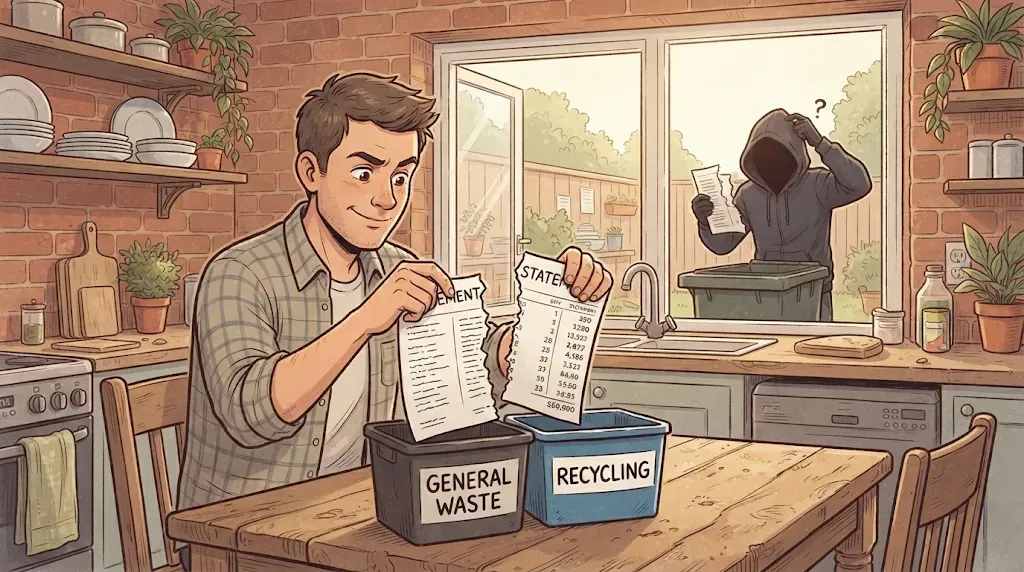 Half a statement is half a clue — image generated via Nano Banana
Here is my routine. I tear every sheet in two, so the left side (the what) and the right side (the amounts) end up apart. Then I tear the addressee block through the middle as well: name, address, everything, split in two. One half goes into the regular waste, the other into the recycling. I know it is not the greenest option, but it guarantees that the puzzle pieces always land in different places. For extra paranoia, tear the halves again into smaller pieces, or at least fold them into a ball.
Is it bulletproof? No, and I would rather be honest than smug. Hand-tearing is basically a poor man’s strip-cut shredder, and shredder vendors point out that strip-cut output can be pieced back together by anyone with time and patience, while cross-cut needs far more effort. What the two-bin trick buys you is that nobody reconstructs your statement from a single bag. They need both halves, from two different bins.
Statements are not the only paper that talks. A parcel label carries your name, address, phone number and order number, and a receipt often carries your name, a loyalty number and part of your card number. Peel or tear the label, scribble over whatever will not come off, and treat receipts like statements.
What to do instead (or on top):
- Tear through the identifiers, not around them. Make sure no single half holds a complete name, address, account number or reference number.
- Destroy QR codes and barcodes. Invoices often use them for payment details, so tear straight through them.
- Keep the halves apart in space and time. Different bins, different bags, ideally different days.
- Shred the really sensitive stuff. For bank statements, tax papers and medical letters, a cross-cut shredder is the proper tool. Vendors usually recommend P-3 or P-4 on the DIN 66399 scale for personal financial documents.
- Go paperless where you can, and protect that mailbox with a strong, unique password and 2FA. This is a case for your real, well-guarded address, not an alias.
Offline privacy #7: the clipboard at reception
You know the routine. A security desk, a condo lobby, a gym, a clinic: “Name, phone number, ID number, please sign here.” Sometimes the guard photocopies your ID, or keeps your physical card until you leave.
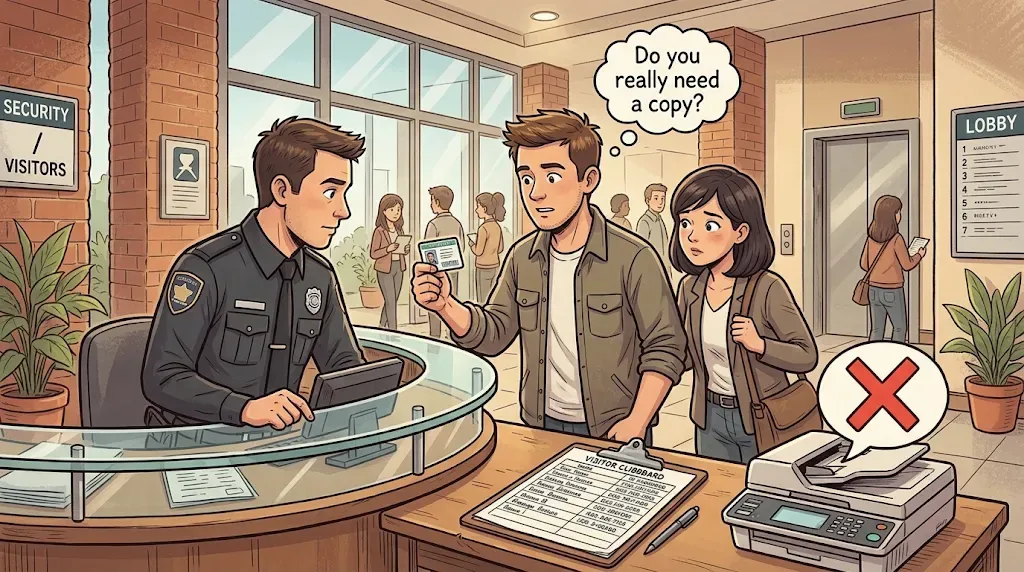 Show the card, don’t hand over a copy — image generated via Nano Banana
Run the portion-control question again: does the desk need a copy of my ID to let me in? Rarely. They need to see, once, that you are who you say you are. A sign-in sheet is even worse, because your name, phone number and ID number sit in a list that every visitor after you can read at a glance.
In Singapore, the regulator has a view on this. The PDPC’s NRIC guidelines generally bar organisations from collecting NRIC numbers or copies of the NRIC, with exceptions where the law requires it. They also say sighting the physical card is usually enough to verify identity, with only a partial number taken down if needed. Rules differ elsewhere, but the question stays the same.
What to do instead:
- Show the card, do not hand over a copy. Let them look at it and give it back.
- Ask: “Is a partial number enough?” It often is.
- If a copy is truly unavoidable, write the purpose, the date and the recipient across the face of it, so it is harder to reuse for anything else.
- Look before you write. If a sign-in sheet shows earlier visitors’ details, ask for a form that hides previous entries.
Offline privacy #8: the name tag your phone wears
Next time you sit in a café, open the AirDrop sheet or the Wi-Fi list and look at who is nearby. You will often see names: Sarah’s iPhone, John’s iPhone. By default, many phones are named after their owner, and that one name is used for AirDrop, Bluetooth and the Personal Hotspot. So when your hotspot is on, your name shows up in everyone’s Wi-Fi list.
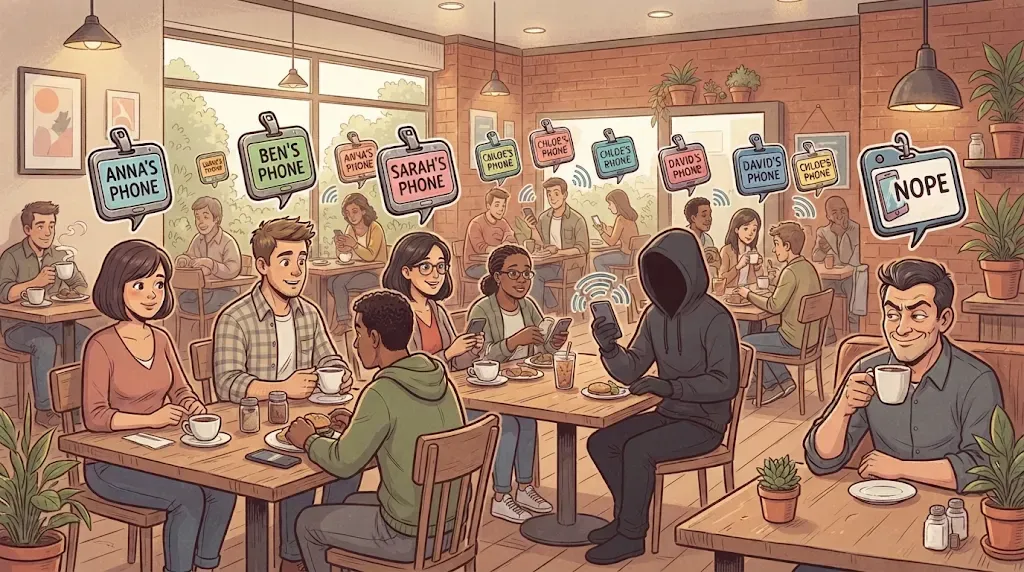 Your phone is wearing a name tag — image generated via Nano Banana
Nothing was posted. Nobody hacked anything. Your phone is simply wearing a name tag, in radio range, for every stranger nearby.
To be fair, a first name on its own is not a scam, because nobody can email “Sarah” without an address. It becomes dangerous as one piece of a puzzle. Add a face the attacker can see, a lanyard on the same table, or a number from somewhere else, and the picture starts to fill in.
What to do instead:
- Rename your phone to something neutral. On iPhone: Settings → General → About → Name. Android phones have a similar device-name setting, though where it lives varies by brand.
- Set AirDrop to Contacts Only or Receiving Off when you do not need it, as privacy guides recommend.
- Switch the hotspot off when you are not using it.
Nothing here is bulletproof
Before you go, let me be clear: none of the tips above makes you unscammable. Not a fake name, not a torn statement, not a flipped badge. A determined attacker can get around every single one of them.
That is not the point. The point is to be a less easy target.
Picture walking the same dark alley at 3 a.m. twice. Once with your head up, keys in hand, aware of who is around. Once face-down in your phone, earbuds in, wallet half out of your pocket. Neither walk is guaranteed safe. But anyone looking for a victim goes for the one who takes the least work, and scammers think exactly like that, just at scale. The Nigerian-prince research shows how much they care about the cost of every victim they work. Each detail you hand over for the sake of a perk or a bit of convenience is one less detail they have to dig for.
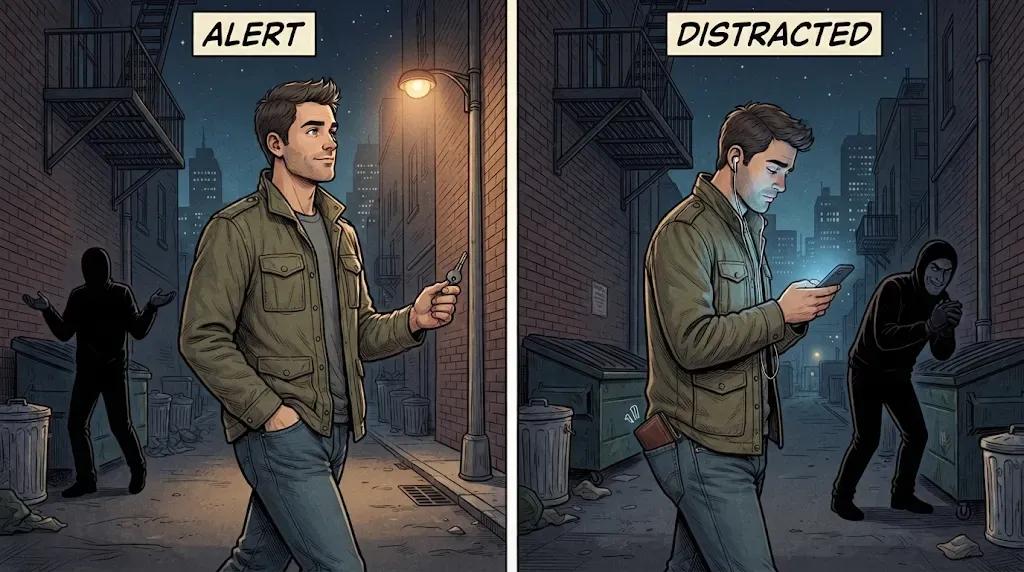 Same alley, same person, different effort for the attacker — image generated via Nano Banana
And if you do get scammed, it is never your fault. The criminal is the criminal. This post is about raising the effort bar, not about assigning blame.
The diet, not the cure
Here is what each habit buys you:
- Fake name and a spare number for restaurant bookings: cuts off a breach linking a booking to the real you.
- Throwaway email aliases: cuts off tracking pixels and address-based profiling.
- Lanyard in the pocket: cuts off name, employer and role for tailored phishing.
- Privacy screen and hidden previews: cut off strangers reading your chats.
- Old bag tags and boarding passes removed: cuts off name, route and sometimes the booking reference.
- Stored-value transit card: cuts off the bank, network and wallet seeing your trips.
- Skipping or aliasing loyalty programs: cuts off a purchase profile that gets sold or breached.
- Tearing paper statements apart and binning the halves separately: cuts off anyone rummaging through one bin reading your name, address and amounts.
- Showing your ID instead of handing over a copy: cuts off a logbook or a stray photocopy handing out your ID number.
- A neutral phone name: cuts off your name being broadcast to everyone within radio range.
Here is the thing I keep coming back to. The Nigerian prince email was absurd because the scammer had nothing on me but an address. Every leak you plug pushes the attacker one step back toward that world: fewer details, more guesswork, more ridiculous messages, and fewer of them landing in the wait, that is actually about me sweet spot.
You will not get all the way there. Your online past is out. A hotel still needs your name. A tram will always see your tap. But you can stop refilling the pool.
Remember the alley: the goal was never to be untouchable. It is to not be the easiest target on the street.
Keep taking the pills, too. Learn to spot the phish, and tell your family how. Then change the diet. If you want the online side done my way, on hardware you own, start with Part 1 of my Raspberry Pi self-hosting series.